5 Using the Accessibility Checker
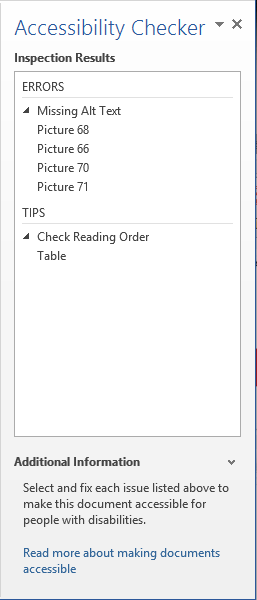
For software from 2010 and later, Microsoft Office has a built-in Accessibility Checker that can analyze your files and measure how well they adhere to accessibility best practices. After reviewing your material, Accessibility Checker compiles a report of any errors as well as a list of tips for resolving the problems.
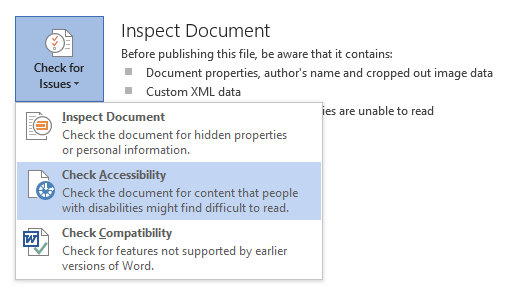
To launch the Accessibility Checker, go to File, click the Check for Issues button, and select Check Accessibility from the dropdown menu.
Inspect Document for Accessibility
Accessibility Checker